Treat rooms, objects, sounds, and locked routes as parts of one small investigation.
Spoiler-light first-night guide
Scary Game 2 Beginner Guide: 7 Tips Before You Start
This Scary Game 2 beginner guide explains how to read the environment, track clues, approach puzzles, and recover from a dead end without turning your first run into a full spoiler walkthrough.
Official Steam information and the site's supporting guides checked on August 24, 2026. Store features, price, and availability can change, so verify live facts before buying.
Quick answer
How should a new player approach Scary Game 2?
Slow down, inspect the space, and write down what changed. Scary Game 2 rewards a deliberate loop of exploration, clue matching, and careful testing more than blind guesses or rushing toward every scare.
A short note about where a clue came from is usually more useful than repeated random inputs.
The guide teaches a method and points to narrow help without publishing the full route.
Use a hint, then a focused puzzle page, before opening a complete walkthrough.
Scary Game 2 beginner guide
Seven habits that prevent most first-run stalls
These tips are designed for a spoiler-light first play. They explain what to pay attention to and how to decide which guide to open, while leaving the exact story route for the walkthrough pages.
1
Treat every room like a puzzle
On your first pass, scan doors, unusual objects, notes, light sources, and anything that looks deliberately placed. You do not need to interact with everything at random; make a short list of items that could connect to a lock, route, or later event.
2
Read clues before hunting for a code
When a number, symbol, or pattern appears, record where it came from and what it points toward. A code guide is most useful after you know the clue's location; guessing digits from memory is how a simple lock turns into repeated false attempts.
3
Move in loops, not in panic
If a door or interaction is unavailable, retrace the last area you changed. Check newly opened paths, then return to the central route. This keeps exploration systematic and reduces the chance that you miss one small trigger.
4
Use sound and lighting as context
The game's atmosphere can change before the route becomes obvious. Pause when a sound, shadow, or lighting change draws attention, then look for what the scene is asking you to notice. Do not treat every scare as a combat encounter.
5
Make the first run spoiler-light
Start with the gameplay page or this beginner guide. Move to puzzle, lock, or walkthrough pages only when the specific obstacle is clear. That preserves discovery while still giving you a controlled way out of a dead end.
6
Separate a puzzle mistake from a technical problem
If an interaction fails, test the object again from the intended angle, confirm that you completed the previous step, and reload only after the simple checks. For freezes or launch issues, use the crash-fix guide instead of assuming the puzzle is broken.
7
Set expectations before you buy
Scary Game 2 is a compact solo horror experience, so the right comparison is a focused evening of exploration and puzzles—not a long progression game, deep combat system, or guaranteed multiplayer session. Check the live Steam listing for current features.
A practical decision table for common moments
When you are unsure what to do next, identify the type of problem first. The smallest useful next action is usually better than opening every guide at once.
| Situation | First check | Next move |
|---|---|---|
| You see a locked object | Note its location, symbols, and nearby context | Read the puzzle or lock guide for that exact obstacle |
| A route seems to end | Return to the last changed room and inspect new openings | Use the walkthrough only after the loop is complete |
| A scare interrupts progress | Wait, observe, and regain a clear position | Treat it as route pressure rather than a reason to rush |
| A control or interaction feels wrong | Try a second angle and verify the previous trigger | Check the crash-fix or settings guide if the problem persists |
| You want the least spoiler help | Open the gameplay or beginner page first | Escalate from hint to solution, not straight to full walkthrough |
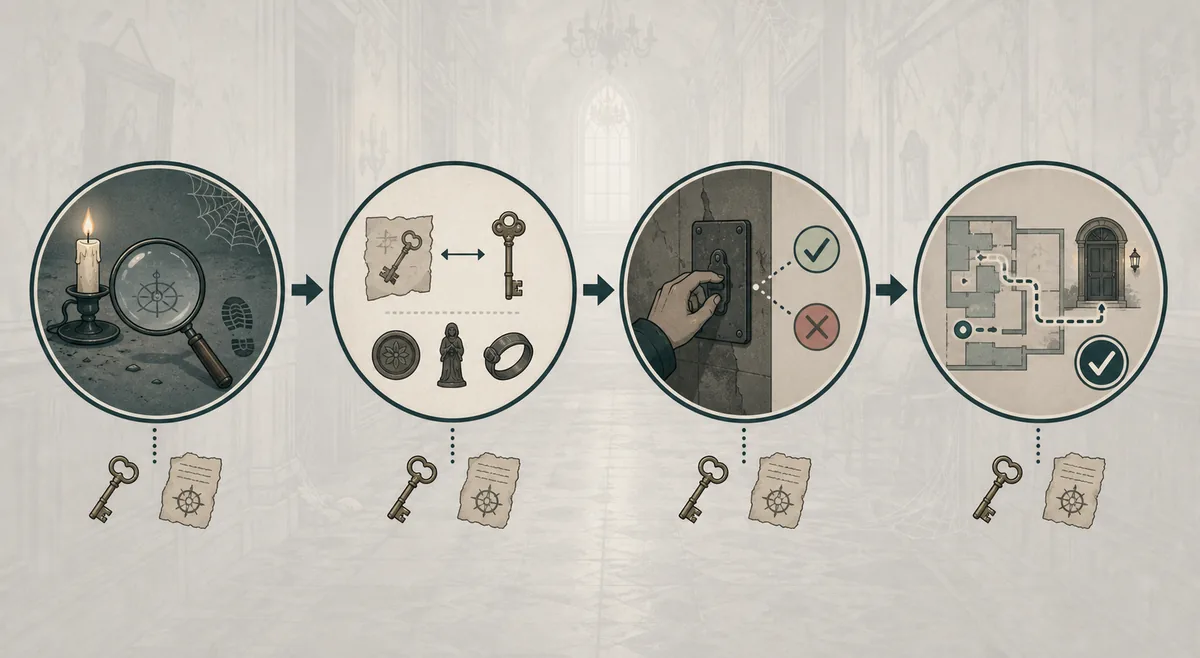
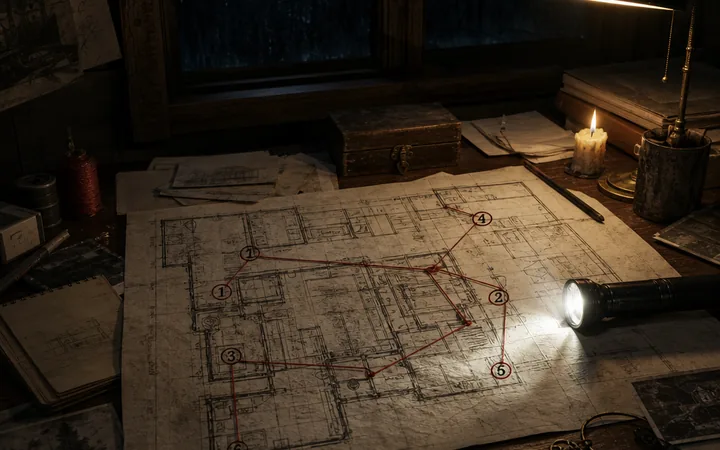
Visual reminders for a first play
These visuals are editorial aids, not substitutes for the written instructions. Keep the important reasoning in the page text and use the images as memory anchors.

A simple way to get unstuck
Do not jump from a small uncertainty to a full spoiler dump. Match the symptom to the narrowest useful response.
If you cannot find the next clue
Return to the last room where the environment changed. Recheck doors, notes, and objects that were previously decorative; progression often becomes visible after one trigger.
If a lock rejects your input
Confirm the clue source, input order, and interaction direction. Use the dedicated lock guide only when you have identified the lock you are trying to solve.
If the route feels empty
Walk the recent loop again instead of wandering everywhere. A newly available interaction or opened path is easier to notice when you compare the room with your last pass.
If the game behaves like a bug
Separate game logic from a technical fault: verify the previous trigger, try a fresh load, and then use the crash-fix or Steam troubleshooting path for launch and freeze problems.
What this guide deliberately does not spoil
This page teaches a method, not the exact ending route. It avoids publishing the cemetery code, the full rotating-lock sequence, or every story trigger in the opening advice.
When you need exact help, use the narrowest matching page: the puzzle guide for clue logic, the lock guide for the rotating lock, the key guide for the cemetery route, and the walkthrough or endings guide only when you are ready for direct route information.
Scary Game 2 beginner questions
These answers keep the first-run advice practical and point to the right page when a question becomes more specific.
No. It is a spoiler-light beginner guide. It explains how to observe, track clues, and choose the right level of help; use the walkthrough page when you want exact route instructions.
Plan around exploration, puzzle reading, and avoiding pressure rather than a conventional combat build. The gameplay and platforms pages provide the broader expectation, while the live Steam listing remains the source for current features.
Yes, if you open only the section for the obstacle in front of you. Start with the hint-oriented part, then reveal a direct solution only when the clue loop is no longer fun or clear.
Check the previous trigger, try the interaction again from a clear angle, and reload once. If the issue affects launching, freezing, or saving rather than one puzzle, switch to the crash-fix guide and current Steam troubleshooting information.
Do not assume multiplayer from a generic horror search. Use the platforms page and the current Steam listing to verify the present feature set before planning a group session.
Source and live-fact check
This fan guide explains how to play through the first run; the live store remains the authority for changing commercial and platform details.
Steam store page
Use the official listing to verify the current product description, platform information, reviews, price, and availability.
Open official source