Use the official Steam listing
Match the full name Scary Game 2: The Mad Shepherd, app ID 4479970, and KanGames developer information before buying or installing.
Official-source install guide
Looking for a Scary Game 2 download? This guide points you to the official Steam route for Scary Game 2: The Mad Shepherd, explains the install sequence, and separates a legitimate store download from unsafe mirrors, cracks, APK claims, and copied file pages.
Source checked on August 7, 2026: official Steam listing for Scary Game 2: The Mad Shepherd. Price, regional availability, reviews, and store controls can change, so use Steam for the final action.

The short answer is the official Steam listing. ScaryGame2.blog does not host the game, provide a direct installer, or redirect readers to unofficial file mirrors. Use this page to verify the title and install path before you click anything.
Match the full name Scary Game 2: The Mad Shepherd, app ID 4479970, and KanGames developer information before buying or installing.
The wiki does not provide APKs, cracks, torrents, repacks, keygens, mirror installers, or a made-up direct download link.
The verified route covered here is PC through Steam. Check the live store page and the requirements guide for current install details.
Confirm the exact entity, developer, release information, store URL, screenshots, and account ownership instead of trusting a search snippet.
This page is a source-aware guide rather than a mirror. The following facts were checked against the official Steam listing on August 7, 2026. No public build number or stable direct installer URL was exposed by the checked first-party pages.
Use the full title to avoid confusing this game with generic scary-game lists or unrelated mobile apps.
The app ID is a stable way to check that a store result points to the intended title.
The visible store date is a release fact, not a downloadable build version number.
Use the Steam developer link when you need the latest first-party metadata.
The checked store page does not expose a stable installer size; do not trust a third-party number as official.
No stable direct file URL was verified, so the page link is the safe official fallback.
The safest Scary Game 2 download flow is ordinary Steam installation. You do not need a mirror, a separate launcher, or a file-hosting detour. Start from the official app page, then let Steam handle ownership, delivery, updates, and local file verification.
If a page promises a free crack, torrent, APK, repack, keygen, or a tiny one-click installer, it is outside this guide. A search result can use the words Scary Game 2 while pointing to a different game or an unsafe file.

Use the official link in this page and confirm the title is Scary Game 2: The Mad Shepherd. Check the app ID and developer name before you sign in or buy.
Entity checkCheck the current price, regional availability, reviews, languages, screenshots, trailer, achievements, and refund information on Steam. These fields can change after this article is published.
Store freshnessAfter ownership or a valid Steam account action, use the normal Install control in the client. The official client is responsible for downloading the game files and applying updates.
Official deliverySteam lists a 5 GB available-space minimum in the checked requirement block. Keep additional free space for updates, shader caches, saves, screenshots, and recording tools.
Disk marginUse Steam's installed-file verification when files are missing or corrupted. Do not replace them with a random DLL, repack, patch, or downloaded crack from another site.
TroubleshootingDownload searches often mix the official store with generic horror pages and unofficial mirrors. Use this small decision table before following a result.
| Check | What to match | What it tells you |
|---|---|---|
| Full title | Scary Game 2: The Mad Shepherd | Confirms that the page is about the intended game rather than a similarly named app or list. |
| Official identity | Steam app 4479970 and KanGames | Connects the download route to the first-party store record. |
| URL | store.steampowered.com/app/4479970/ | A stable official page is safer than an expiring redirect or a file host with a countdown. |
| File promise | Normal Steam client install | A direct EXE, ZIP, APK, crack, or keygen is not an official route verified by this wiki. |
| Update path | Steam library and client | Ownership, patches, achievements, and file repair stay inside the supported platform. |
| Claims about free access | Clear store and account terms | Do not convert a search phrase such as free download into a promise of a free legal copy. |
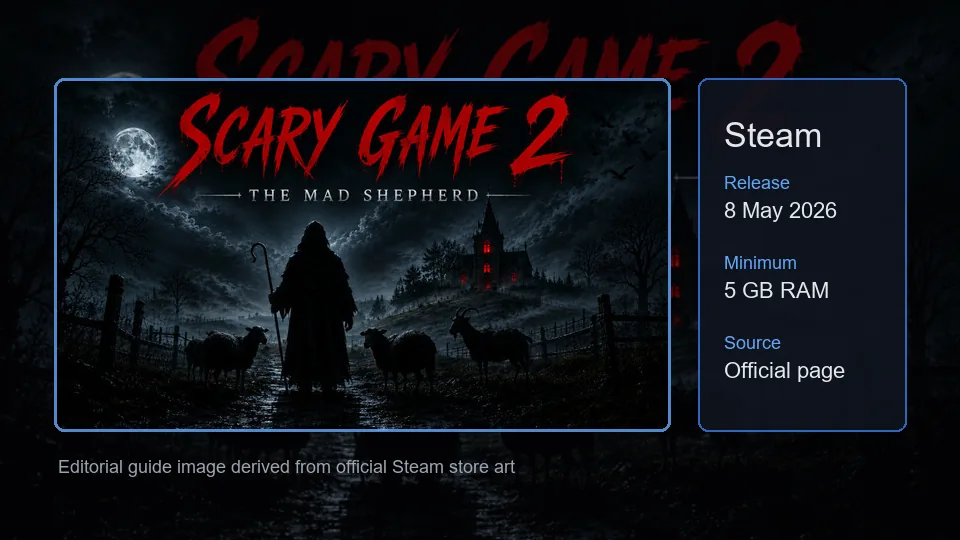
The widget below is the real official Steam store embed. The local WebP assets are editorial explanations, not gameplay screenshots; use Steam for live screenshots, the trailer, price, reviews, and install controls.
Official Steam widget. Open the store page for the current purchase, download, review, and account actions.
Keep download intent separate from platform, requirements, and completion intent. These pages cover the next decision without repeating the official-install answer.
Check the broader PC, Xbox, mobile, APK, multiplayer, and Steam Deck boundaries before assuming another platform is supported.
Check platform statusReview Windows, RAM, graphics, storage, sound, settings, and practical PC headroom before installing.
Check PC requirementsCompare release, developer, platform, requirements, and store-check questions in the broader pre-purchase guide.
Open Steam guideUse Steam for current screenshots, trailer, price, reviews, achievements, ownership, and the real Install control.
Open SteamThese answers cover the most common download, free-file, PC, and official-source questions without turning unsafe search phrases into recommendations.
Use the official Steam listing for Scary Game 2: The Mad Shepherd. This wiki does not host game files or provide a separate installer; Steam handles the supported download and account flow.
Do not assume that a page promising a free download is official or safe. The checked first-party source is the Steam listing, and this site does not claim a free legal copy, crack, torrent, or mirror.
Open the exact Steam app page, confirm Scary Game 2: The Mad Shepherd and app ID 4479970, use your Steam account's normal purchase or ownership flow, then install it from the Steam library.
This page verifies the PC Steam route only. The wiki does not host or recommend APK, IPA, cracked, repacked, or mirror files. Treat mobile claims as unconfirmed unless a first-party source documents them.
The official pages checked on August 7, 2026 did not expose a public build number or stable installer size. Use Steam's live client and store metadata instead of trusting a third-party number.
Check the PC requirements, leave extra disk space, update Steam and Windows, verify installed files, and review the crash-fix guide. Avoid replacing files with random DLLs or unofficial patches.
No. It is an official Steam store-page fallback because no stable direct installer URL was verified. The Steam client controls the actual file delivery after the normal account action.